

Turn a recording into tab.
Play a riff or open a recording, and Fretscribe writes it down as tab for your instrument and your tuning.
What you get.
A tab you can read at once, and practise with.
Tab for your instrument
Guitar, bass, ukulele or mandolin, with the strings you have and the tuning you play in.
A look before it writes
First it shows the tuning, the key and the tempo it heard. If one of them is off, you put it right before a single fret is written.
Honest question marks
A note it is not sure of gets a ?. Choose it, and it plays that bar slowly so you can hear for yourself.
Something to practise with
Your recording plays along with the tab, slower if you like, and repeats the bars you choose.
-
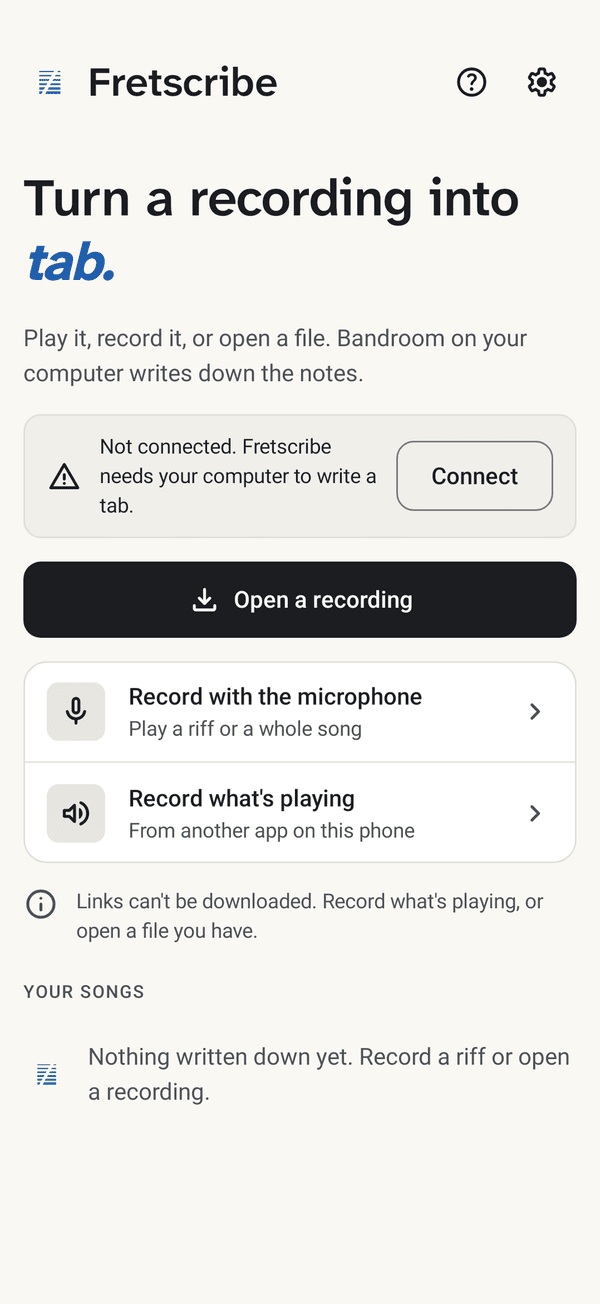
Open or record
Open a recording you have, play into the microphone, or record what another app on the phone is playing.
-
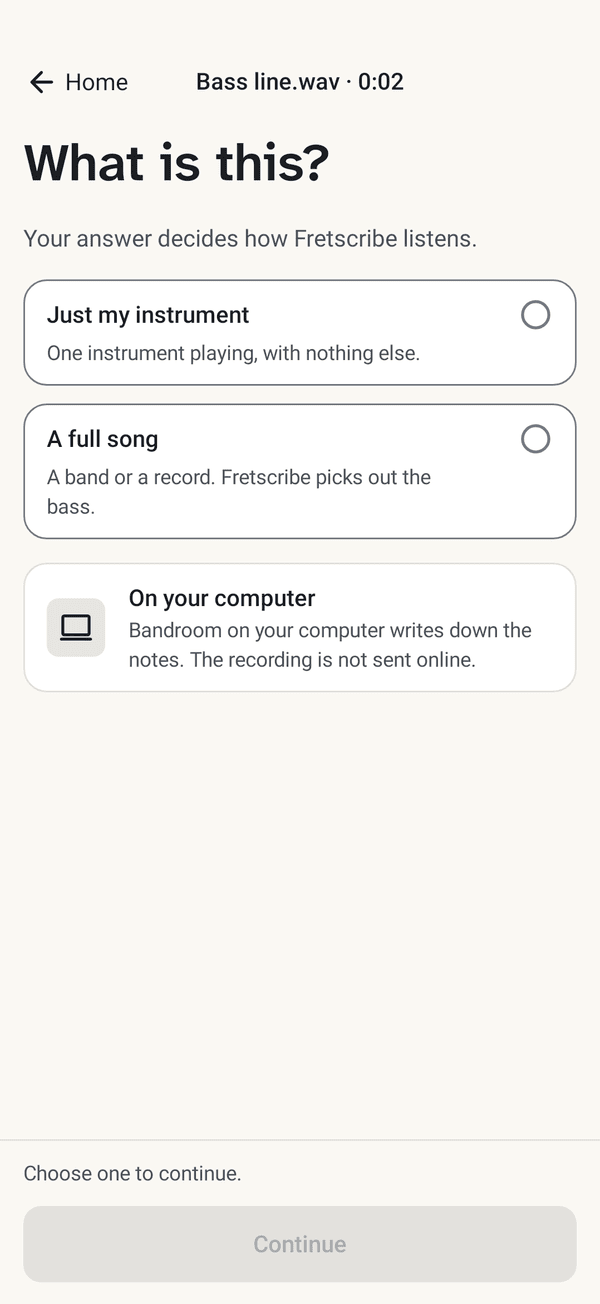
What is this?
Just your instrument, or a full song where your part is picked out.
-
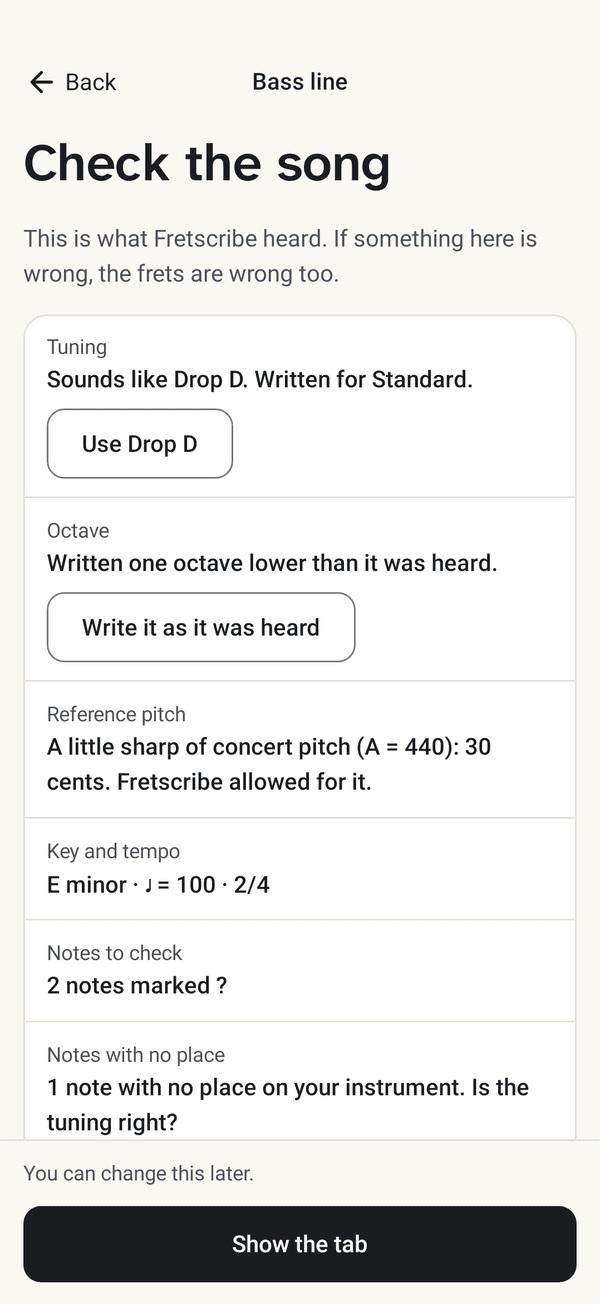
Check the song
The tuning, the key and the tempo it heard, before anything is written as frets.
-
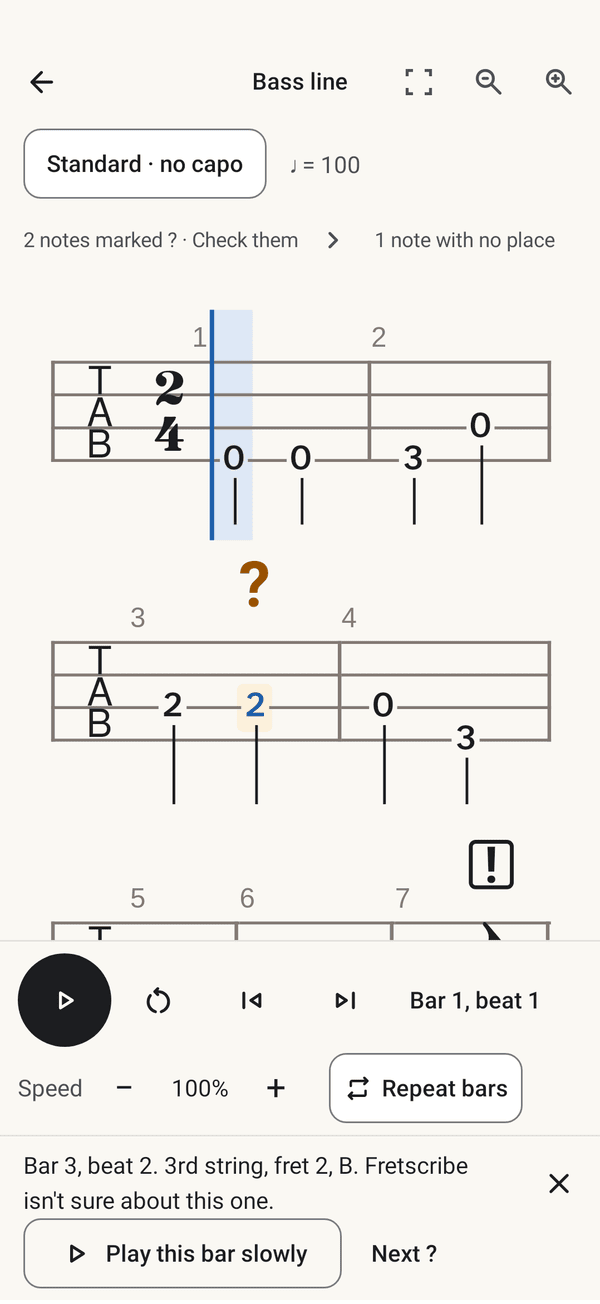
Practise
Slow the recording down, repeat the hard bars, and check the notes with a ?.
From sound to tab, step by step.
The first bars of the recording above, at each step on the way.
-
Step 1 of 5
The recording
A riff into the microphone, or a file you have. This is how loud the guitar is, moment by moment.
-
Step 2 of 5
Finding the beat
First the pulse. Fretscribe heard 97 beats a minute, 4 to the bar: a line on every beat, heavier where a bar begins.
-
Step 3 of 5
Hearing the notes
Two listeners go through the sound. One hears whole chords, the other follows a single line. Each block is a note one of them heard, higher notes higher up.
-
Step 4 of 5
Placing the notes
Nobody plays exactly on the beat. Each note moves from where it was heard, the dotted outline, to the nearest place you would read it.
-
Step 5 of 5
Choosing strings and frets
Every note can be played in several places on the neck. Fretscribe picks the places where the hand moves least: here 46 of the 118 notes are on open strings.
The same notes, your tuning.
The tab of the recording above. Change the tuning: the notes stay, the frets move. Choose a number to see every place that note can be played.
- ? Fretscribe is not sure
Standard: every note has a place on the neck.
Choose a number in the tab to see where else that note can be played. The arrow keys move from note to note.
The same tab as plain text (Standard)
Canon progression
      Guitar
      Tuning: Standard (E A D G B E), bottom line to top
      Capo: none
      Tempo: 97 quarter notes per minute
      Time: 4/4

        1                                2
      E|--------------------------------|--------------------------------|
      B|-1---1-----1-----1---------1----|-1-------1-------0---------0----|
      G|---------0-0-0-------0-------0--|-0---0-------0---0---0-----0-0--|
      D|-----2---2---2---2---2---2-2----|-----0---0---0---0---0---0------|
      A|-3---------------3--------------|--------------------------------|
      E|--------------------------------|-3---------------3--------------|

        3                                4
                                                          ?
      E|--------------------------------|-----------------0--------------|
      B|-1---1-------1---1---------1----|-0---------0-----0-----------0--|
      G|-4-------2---2---2---2-----2-2--|-----4---0-0-0-----------0---0--|
      D|---------------------2---2------|-----2---2---2---2---2----------|
      A|-0---0-------0---0---0----------|--------------------------------|
      E|--------------------------------|-----------------0--------------|

        5                                6
                                          ?
      E|---------1-----------1----------|--------------------------------|
      B|-1-------1---1---1---1---1-1----|-1---1---1-1-----1---------1-0--|
      G|-----2-------2-------2-----2----|-0-------0---0---0---0-----0-0--|
      D|-----3---3-------3---3---3------|-2---2-----2---------2----------|
      A|--------------------------------|-3---------------3--------------|
      E|-1-------1-------1---1----------|--------------------------------|

        7
      E|--------||
      B|-1------||
      G|--------||
      D|--------||
      A|--------||
      E|-1------||

      ?  a note to check: it was not heard clearly
What you need.
Fretscribe does not write tabs by itself. Choose your device to see what it does alone, and what it needs your computer for.
| Device | Works by itself | Needs Bandroom on your computer |
|---|---|---|
| AndroidAndroid 17 or 16 | Records, opens the tabs you have made, and plays them with Speed and Repeat bars. | Writing a tab. |
| iPhone and iPadTest version: needs a few steps with your Apple account · iOS, iPadOS 27 or 26 | Records, opens the tabs you have made, and plays them with Speed and Repeat bars. | Writing a tab. |
| MacA Mac from 2020 or later · macOS 27 or 26 | Records, opens the tabs you have made, and plays them with Speed and Repeat bars. | Writing a tab. Bandroom can run on the same Mac. |
| WindowsEarly version, not tested on a real PC yet · Windows 11 | Records, opens the tabs you have made, and plays them with Speed and Repeat bars. Shares or prints a tab. | Writing a tab. Bandroom can run on the same PC. |
- A computer with Bandroom, on the same Wi-Fi as the phone: a Mac from 2020 or later, or a PC with Windows 11. Bandroom is free, and it writes every tab.
- Your device will warn you the first time. The apps are not in any app store yet; the download page shows how to get past the warning.
- Your recording never leaves your own network. It goes from your phone to your own computer and nowhere else. The first time Bandroom starts it needs the internet, to download what it needs to listen (about 10 GB).
How sure is it?
When Fretscribe puts a ? over a note, it is usually right to. But it misses many wrong notes.
Bass
Bass: about 9 in 10 notes with a ? really were wrong.
Bass: only about 4 in 10 wrong notes got a ?.
Guitar
Guitar: about 7 in 10 notes with a ? really were wrong.
Guitar: only about 2 in 10 wrong notes got a ?.
We measured this on bass lines and guitar parts picked out of full songs played by a computer, where the right notes are known. Your recording can do better or worse.
So check the ? notes first, then trust your ears for the rest.
Get Fretscribe.
Free, and an early version: there is no store listing yet, so you download it here, for Android, iPhone and iPad, Mac and Windows.