

A score for your band, from any recording.
Record a rehearsal or open a file, and Brasscribe writes down a part for every player in the band.
What you get.
The whole band's music on paper, and a way to practise it.
A part for every player
Full brass band, a small band or a quartet. Each part in its range, written for B flat or E flat as the player reads it.
Honest question marks
A note it was not sure of gets a ?. You hear that bar, keep the note or change it, and go on to the next.
The band to practise with
The score plays back with band sounds. Mute your own part, slow it down, repeat the hard bars.
Your part on the stand
Your own part fills the screen, with page turns from a pedal. Print it, or share the score as PDF, MusicXML or MIDI.
Readable and audible
Large text, dark mode, a talking score that reads the music aloud, and braille music for those who use it.
For the band's tech person
Studio, in a browser on the computer, shows every step of how a score came to be.
-
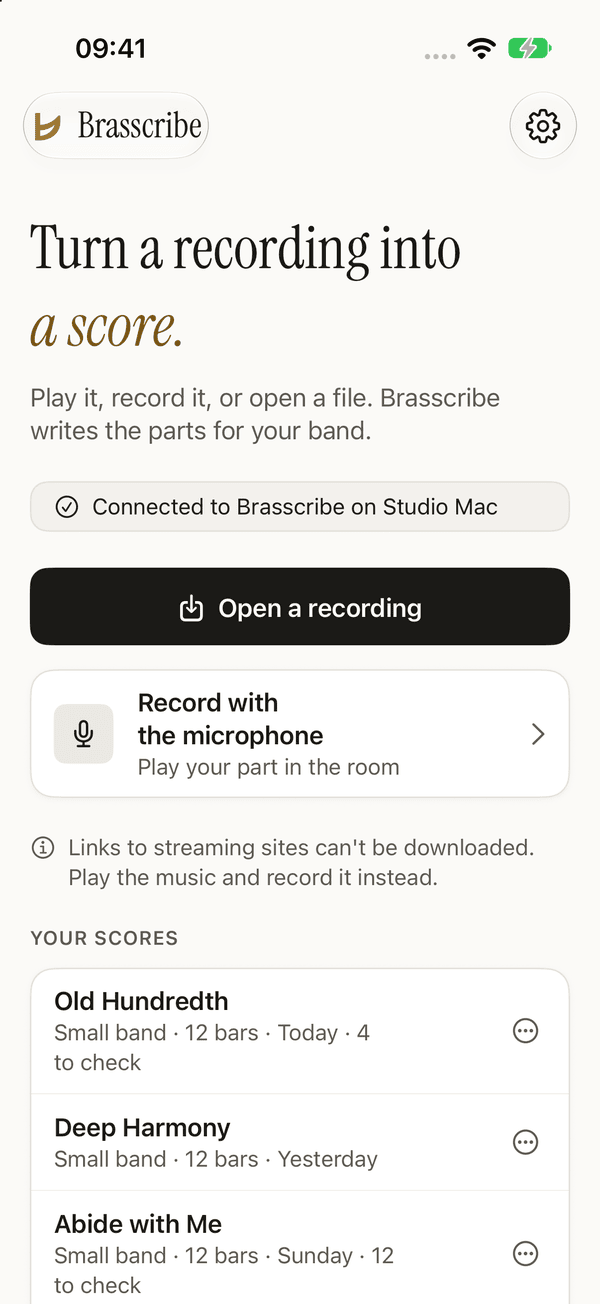
Open or record
Open a recording you have, or record the rehearsal with the microphone.
-
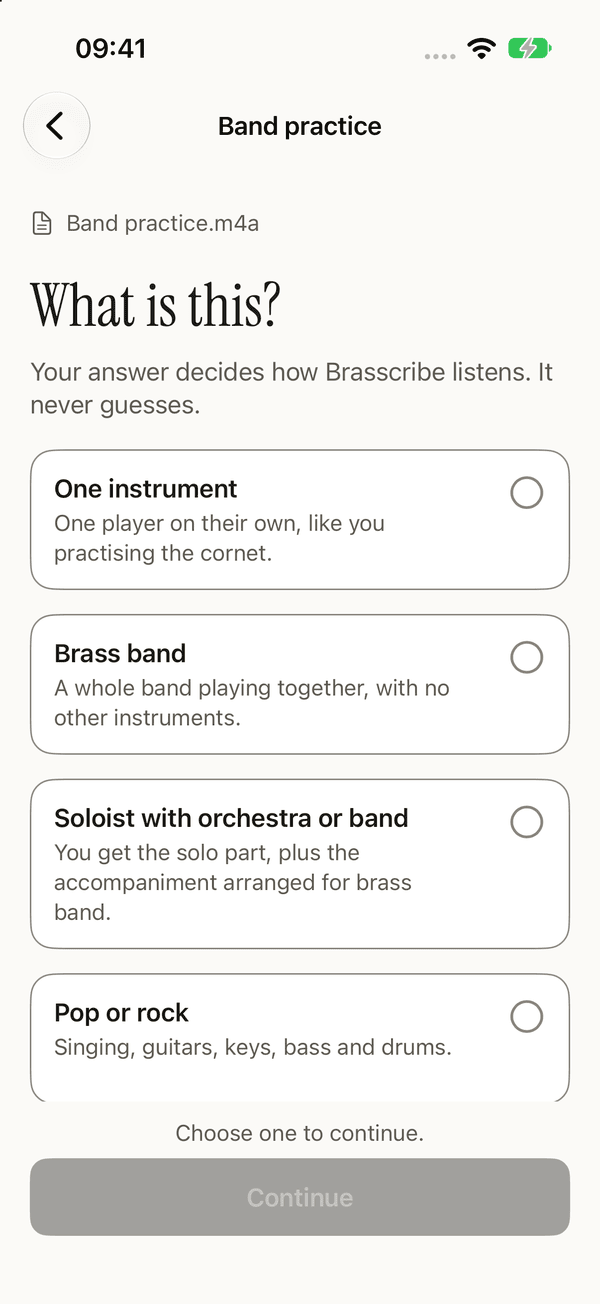
What is this?
One instrument, a brass band, a soloist with band, or pop and rock. Your answer decides how Brasscribe listens.
-
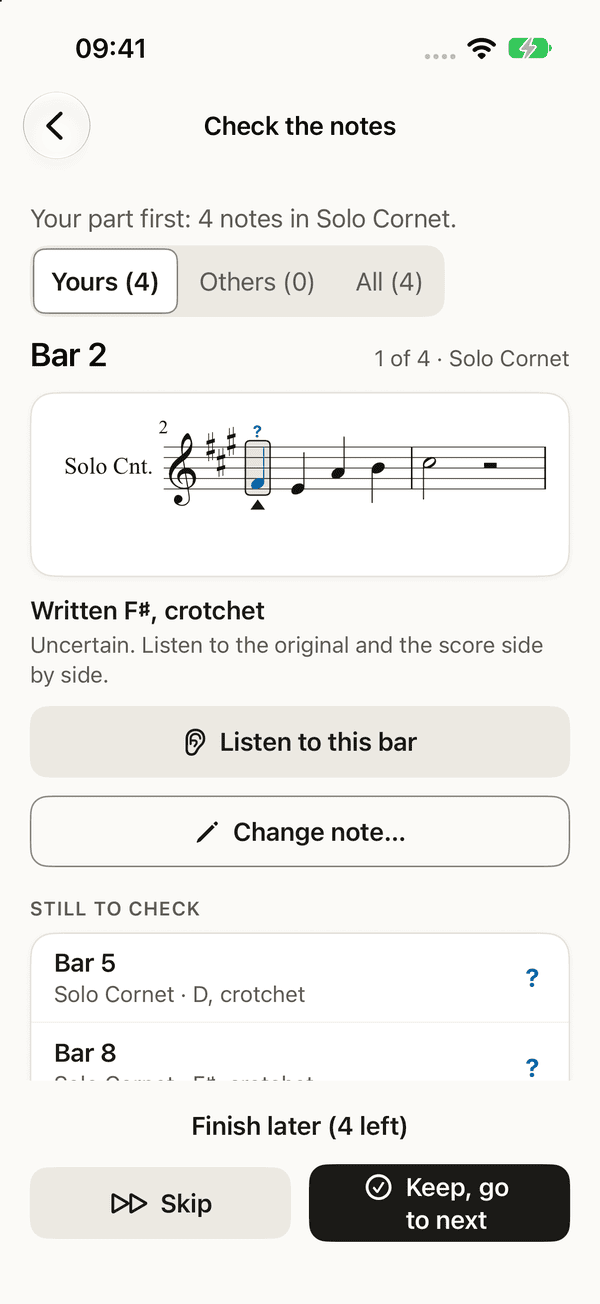
Check the notes
The notes with a ?, one at a time: listen, keep or change.
-
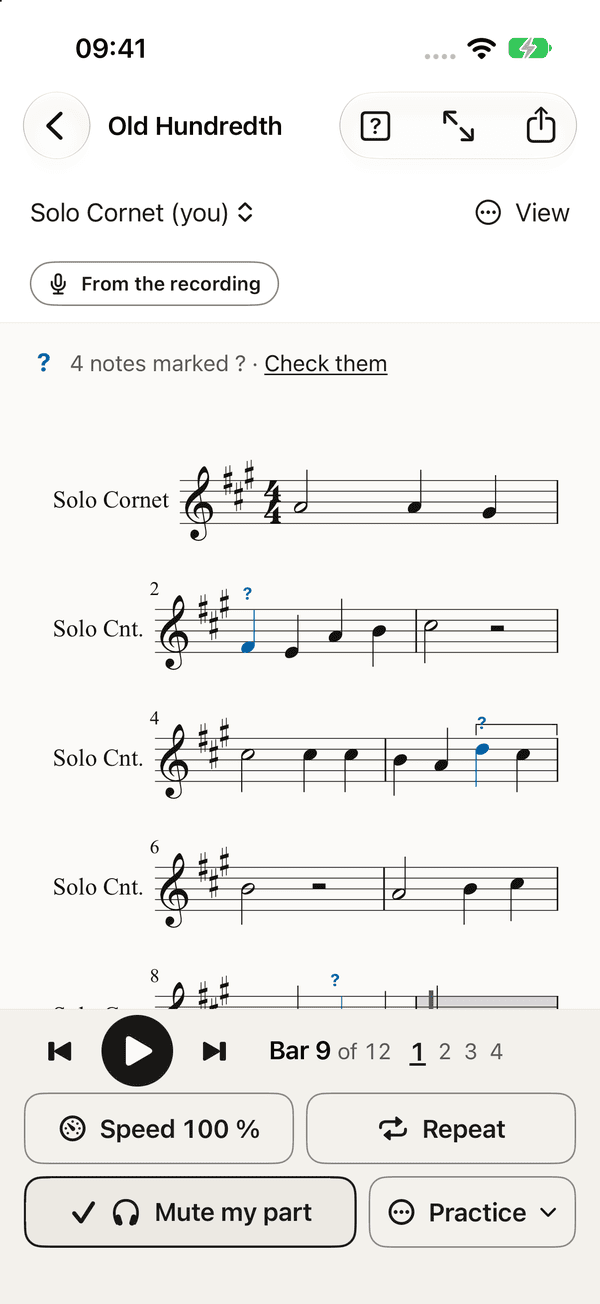
Your part
Your own part as written for your instrument, with the band playing around you.
From sound to score, step by step.
The first bars of the recording above, at each step on the way.
-
Step 1 of 6
The recording
A rehearsal, a concert, a file you have. This is how loud the quartet is, moment by moment.
-
Step 2 of 6
Finding the beat
First the pulse. Brasscribe heard 83 beats a minute, 2 to the bar: a line on every beat, heavier where a bar begins.
-
Step 3 of 6
Hearing the notes
Two listeners go through the sound, each writing down every note it hears, from the tuba at the bottom to the cornet at the top. Where they agree, the note is safe.
-
Step 4 of 6
Placing the notes
Nobody plays exactly on the beat. Each note moves from where it was heard, the dotted outline, to the rhythm a player would read. A note the listeners did not agree on keeps its doubt.
-
Step 5 of 6
Writing it down
The tune becomes notes on a staff, named in the right key and written as the cornet reads it: 18 notes, 2 of them with a question mark.
-
Step 6 of 6
A part for every player
The notes are shared out over the band: here 4 parts, each in its range, with rests where a player has nothing to play.
Every player gets a part.
The four parts Brasscribe wrote for the recording above. Look at them together or choose one, then choose a note to read what it is.
4 parts, one for each player. 3 notes have a question mark.
Choose a note to read what it is. The arrow keys move from note to note.
What you need.
Today Brasscribe writes its scores on your computer, not on the phone. Choose your device to see what it does alone, and what it needs the computer for.
| Device | Works by itself | Needs Bandroom on your computer |
|---|---|---|
| AndroidAndroid 17 or 16 | Opens, plays and prints the scores you have. From the next release it writes one instrument by itself again. | Every new score today: a full band, and one instrument too. |
| iPhone and iPadTest version: needs a few steps with your Apple account · iOS, iPadOS 27 or 26 | Opens, plays and prints the scores you have. | Every new score: a full band, and one instrument too. |
| MacA Mac from 2020 or later · macOS 27 or 26 | Opens, plays and prints the scores you have, with the whole band on the screen. | Every new score. Bandroom can run on the same Mac. |
| WindowsEarly version, not tested on a real PC yet · Windows 11 | Opens, plays and prints the scores you have. | Every new score. Bandroom can run on the same PC. |
- A computer with Bandroom, on the same Wi-Fi as the phone: a Mac from 2020 or later, or a PC with Windows 11. Bandroom is free, and today it writes every score, also for one instrument alone. Android phones write a single instrument by themselves again from the next release.
- Your device will warn you the first time. The apps are not in any app store yet; the download page shows how to get past the warning.
- Your recording never leaves your own network. It goes from your phone to your own computer and nowhere else. The first time Bandroom starts it needs the internet, to download what it needs to listen (about 10 GB). For a full band it also needs a free account where the listening model is downloaded; the guide shows how.
How sure is it?
When one brass instrument plays alone, Brasscribe gets nearly every note right. It puts a ? over the notes it was not sure of, but a wrong note can slip through without one. Low instruments are the hardest.
Cornet and flugelhorn alone: about 1 wrong note in 200 slips through without a ?.
Horn, baritone and trombone alone: about 1 wrong note in 60 slips through without a ?.
Tuba alone: about 1 wrong note in 10 slips through without a ?.
We measured this on slow hymn tunes, one player at a time: the recordings we tuned on. A rehearsal will be worse.
So check the ? notes first, then read the part through with your ears open, the bass parts most of all. A full band is harder to hear than one instrument, and its score is a draft for a musician to finish.
Get Brasscribe.
Free, and in early testing: there is no store listing yet, so you download it here, for Android, iPhone and iPad, Mac and Windows.