

Turn a recording into tab.
Play a riff or open a recording, and Fretscribe writes it down as tab for your instrument and your tuning.
Every tab is written by Bandroom on your own computer.
From sound to tab, one step at a time.
What the engine had at each step for the first two bars of the line above, drawn from its own answers and from the take's own sound.
-
Step 1 of 5
The recording
A riff into the microphone, or a file you have. The phone sends it to Bandroom on your own computer; it goes nowhere else. This is the loudness of the take the engine was given: a made-up line, strummed and picked by a synthesizer.
-
Step 2 of 5
Listening for the beat
First the pulse: the engine heard 51 beats a minute, 3 to the bar. It writes what it hears. This take was written with another beat than that, and the page keeps the engine's answer, not the one we would have liked.
In the engine:
beats -
Step 3 of 5
Hearing the notes
Two listeners go through the sound: one hears many notes at once, the other follows a single line. Every note gets a pitch, a start, a length and a number for how sure the engine is. The paler a block, the less sure.
In the engine:
transcribe.guitar.basic-pitch·transcribe.guitar.swift-f0 -
Step 4 of 5
Placing the notes in bars
Played notes are never exactly on the beat. Each one moves from where it was heard, the dotted outline, to the nearest place a player would read. That gives 64 notes in E minor.
In the engine:
notes -
Step 5 of 5
Choosing strings and frets
Every note can be played in several places. The solver picks a string and a fret for each so that the hand moves as little as it can: 31 of the 64 notes are on open strings in Standard tuning. The engine doubts 1 of them, and 2 have no place on the neck at all.
In the engine:
arrange
The same notes, your tuning.
The line above, as the engine wrote it. In standard tuning it found notes with no place on the neck, and the tuning it suggests first is Drop D, as Check the song would in the app. Change the tuning: the notes stay the same, and the strings and frets are the solver's own for each. Choose a number to see every place that note can be played.
- ? the engine is not sure
- ! no place on the neck
- – left out of this fingering
Standard, no capo: 2 notes have no place on the neck.
Choose a number in the tab to see where else that note can be played. The arrow keys move from note to note.
The tab as text, as the engine wrote it (Standard)
Guitar line
      Guitar
      Tuning: Standard (E A D G B E), bottom line to top
      Capo: none
      Tempo: 51 quarter notes per minute
      Time: 3/4

        1      2      3            4            5            6
                                                              !?
      E|-0-0--|-3---3|---------2--|---------0--|-0----------|-----0---2--|
      B|-0-0--|-0---0|-------0-3--|-------0-1--|-1-------0--|-----1---3--|
      G|-0-0--|-0---0|---0-2---2--|---------0--|-0---------2|-0---2---2--|
      D|-2-2--|-0---0|-2-------0--|---------2--|-2----------|---2-2---0--|
      A|-2-2--|-2---2|------------|---------3--|-3----------|-----0------|
      E|-0-0--|-3---3|------------|------------|------------|------------|

        7
         !?
      E|-0----||
      B|-0----||
      G|-0----||
      D|-2----||
      A|-2----||
      E|-0----||

      ?  a note to check: it was not heard clearly
      !  a note with no string to play it on, not in the lines: bar 6: G6;
         bar 7: D2
How sure is it?
A note Fretscribe doubts gets a ?. We measure two things about those marks, on recordings where the right notes are known.
-
Bass
94 of 100 question marks were right to doubt: the note under them was wrong.
36 of 100 wrong notes carried a question mark. The rest slipped through unmarked.
-
Guitar
74 of 100 question marks were right to doubt: the note under them was wrong.
20 of 100 wrong notes carried a question mark. The rest slipped through unmarked.
So a question mark is worth checking, and a note without one can still be wrong. A tab from a recording is a draft: trust your ears over it.
Measured on bass and guitar parts picked out of full songs (the Slakh excerpts), and gated in eval/baselines.json: a change that makes these worse does not ship.
In the app, one question at a time.
Fretscribe asks one thing at a time. Nothing is shown as frets until you have seen what it heard.
-
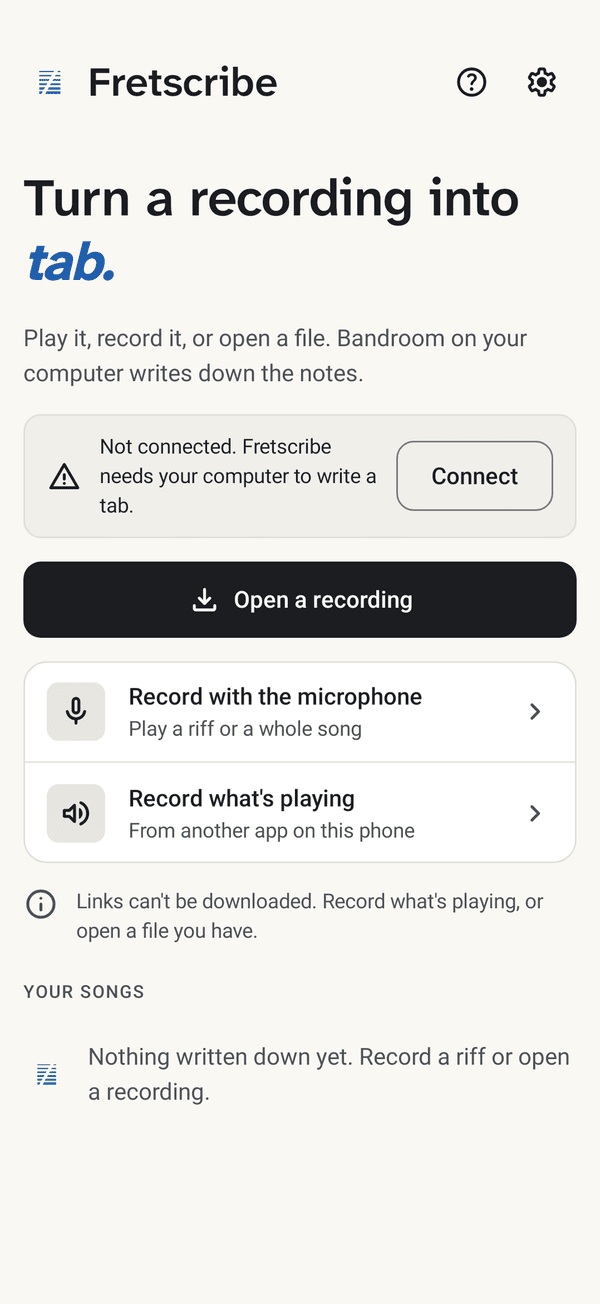
Open or record
Open a recording you have, play into the microphone, or record what another app on the phone is playing.
-
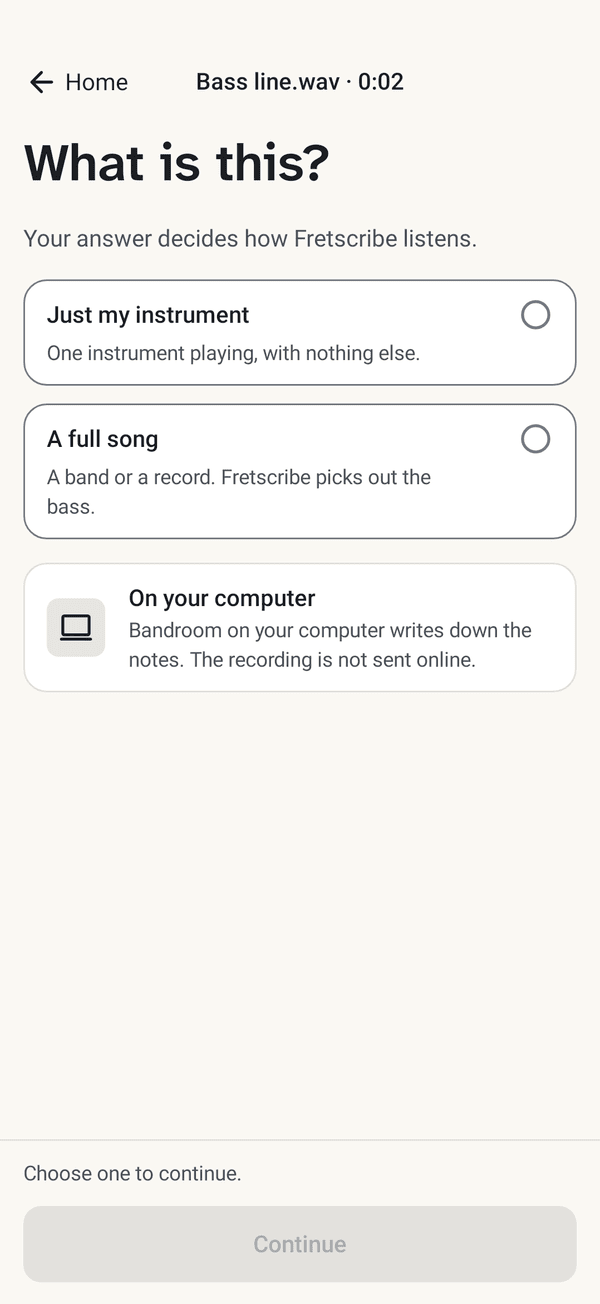
What is this?
Just your instrument, or a full song where your part is picked out.
-
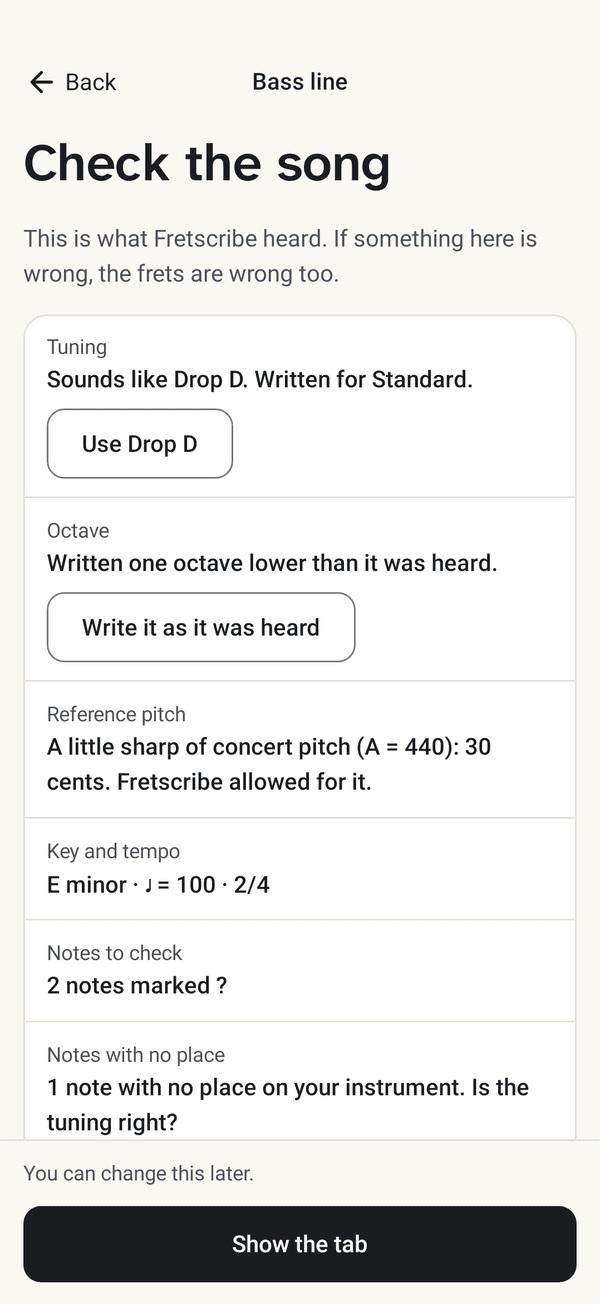
Check the song
The tuning it heard, the octave, the key and the tempo. If one is wrong, every fret is wrong, so you see them first.
-
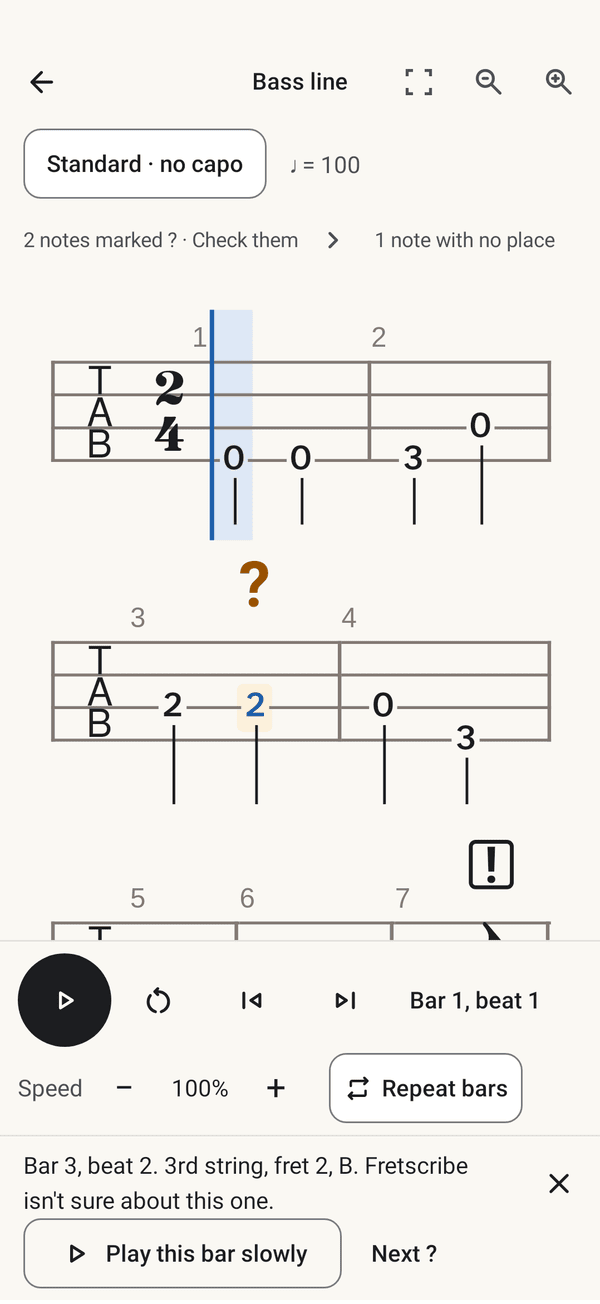
Practise
Speed slows the recording down, Repeat bars plays the hard ones again, and a doubtful note plays its bar slowly.
What you need
Fretscribe does not write tabs by itself. Choose your device to see what it does alone and what it needs the computer for.
| Device | Works by itself | Needs Bandroom on your computer |
|---|---|---|
| AndroidAndroid 17 or 16 | Records, opens the tabs you have made, and plays them with Speed and Repeat bars. | Writing a tab. |
| iPhone and iPadTest build you sign yourself · iOS, iPadOS 27 or 26 | Records, opens the tabs you have made, and plays them with Speed and Repeat bars. | Writing a tab. |
| MacApple silicon · macOS 27 or 26 | Records, opens the tabs you have made, and plays them with Speed and Repeat bars. | Writing a tab. Bandroom can run on the same Mac. |
| WindowsPreview, not yet tried by hand · Windows 11 | Records, opens the tabs you have made, and plays them with Speed and Repeat bars. Shares or prints a tab. | Writing a tab. Bandroom can run on the same PC. |
- A computer with Bandroom, on the same Wi-Fi as the phone: a Mac with Apple silicon and macOS 27 or 26, or a PC with Windows 11. Bandroom is free, and it writes every tab.
- The downloads are not signed yet and are not in any app store. Each device needs a few extra steps the first time, and the download page says which.
- Your recording never leaves your own network. It goes from your phone to your own computer and nowhere else. Bandroom's first run needs the internet, to download what it listens with.